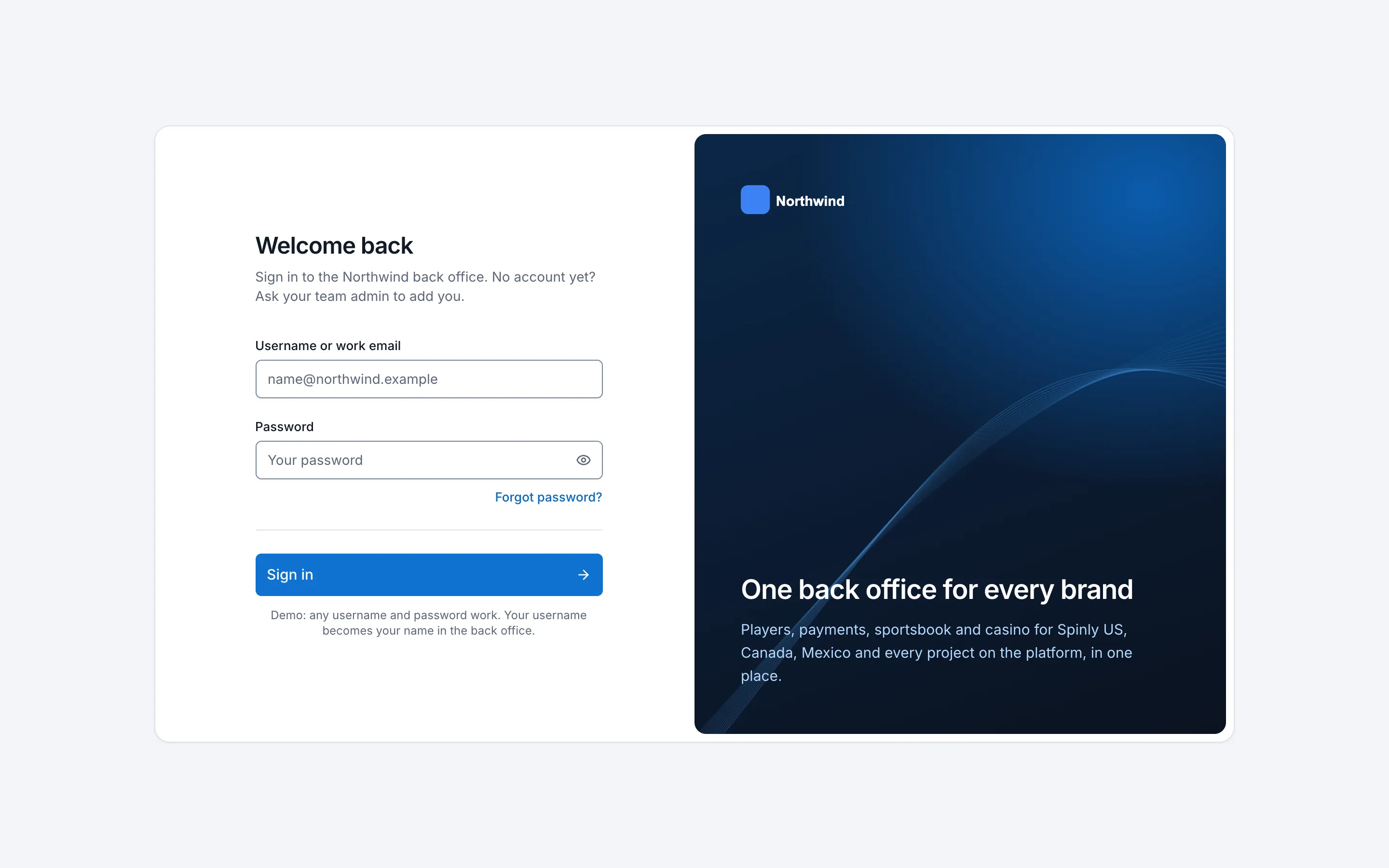
Back office
Back-office redesign
Redesigning the sportsbook and casino back office around how managers actually work.
Overview
Sportsbook and casino managers run promotions, game lobbies, KYC checks, withdrawals and player accounts from one back office. It grew page by page until nothing looked or behaved the same. I audited it, set up a design system and turned the redesign into a working demo that managers test with realistic data.
Problem
The back office had grown to 17 top-level navigation groups and over a hundred pages, and every list looked like the same generic grid. System language leaked into the interface, risky edits had no safety net, and there were no shared visual rules, so each new page made the tool a little harder to use.
Research
I audited 22 core screens and collected feedback from the sportsbook managers, the casino managers and another designer. Five problems came up again and again:
- Navigation doesn’t scale. 17 top-level groups, with no clear home for new pages.
- Every list is the same grid. A queue of documents to review looks exactly like a settings table.
- System language leaks into the UI. Error messages that say nothing, bare IDs that look like they belong to the wrong thing.
- Risky edits have no safety net. Balance changes, removals and reorders happen instantly, with no review or undo.
- No shared visual rules. Every page solves spacing, states and actions on its own.
The managers’ own pain points were more specific: a non-combinable markets list whose scrolling breaks after 171 items, game lobby positions that have to be set one game at a time, translations that can’t be searched.
How might we
How might we give managers one consistent tool where the daily tasks are fast and the risky ones are safe?
Process
A design system first
Before any page, I set up the foundations: 77 color tokens for light and dark mode, a type scale, a 4 px grid, radii, shadows and written behavior rules. Components come from shadcn-vue, wrapped in our own component layer, so the library can be swapped later without touching the pages. The heavy server-side grids stay on AG Grid.
A working demo, not static screens
Instead of handing over Figma frames, I designed and built the redesign as a clickable demo with AI-assisted coding (Claude Code), in the same stack as the product (Vue 3). That is how one designer got 15 core pages working in three days. Managers can test real flows with generated, realistic data, guided by a short test document, and engineers get components they can use directly.
Small decisions, made on purpose
Most of the work was in details that a static mockup hides:
- Every table opens in comfortable density, with 48 px rows. Managers can switch to a denser view.
- IDs are always labeled. “Client ID 13165”, “Document #225”. A bare “#225” next to a player’s name read as her ID.
- Status names are chosen, not inherited. “New” became “Pending review” after comparing five options.
- Side panels never run off the screen, so their buttons are always visible.
- Unbuilt pages are greyed out everywhere, so testers never land on a dead end.
Solution
A navigation that scales
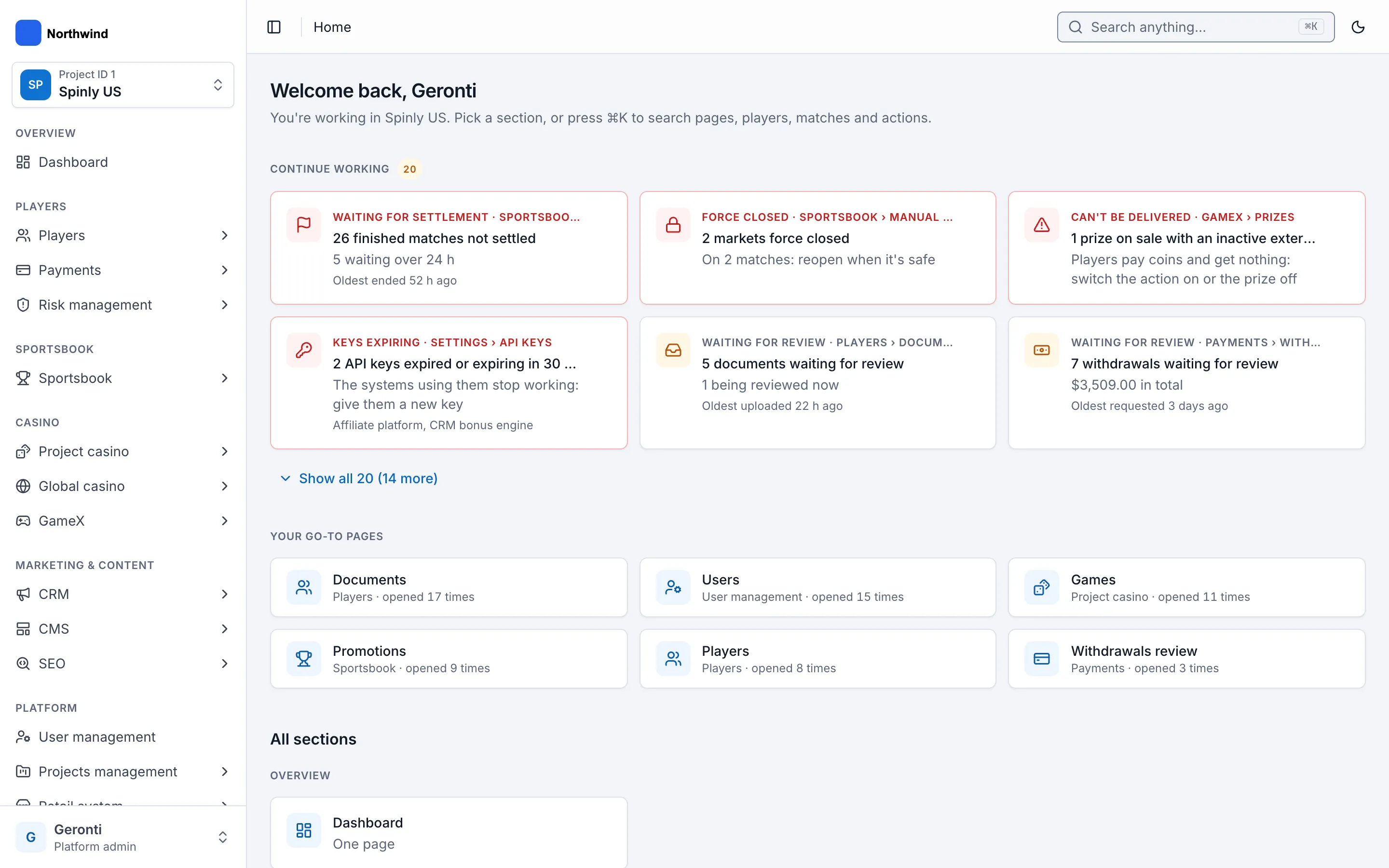
The sidebar is regrouped into 6 groups and 16 sections covering 144 pages, with a project switcher, breadcrumbs and global search (⌘K). A new Home page shows Continue working (review queues and drafts) and Your most-used pages, ranked by how often and how recently each page is opened.
Ordering lists
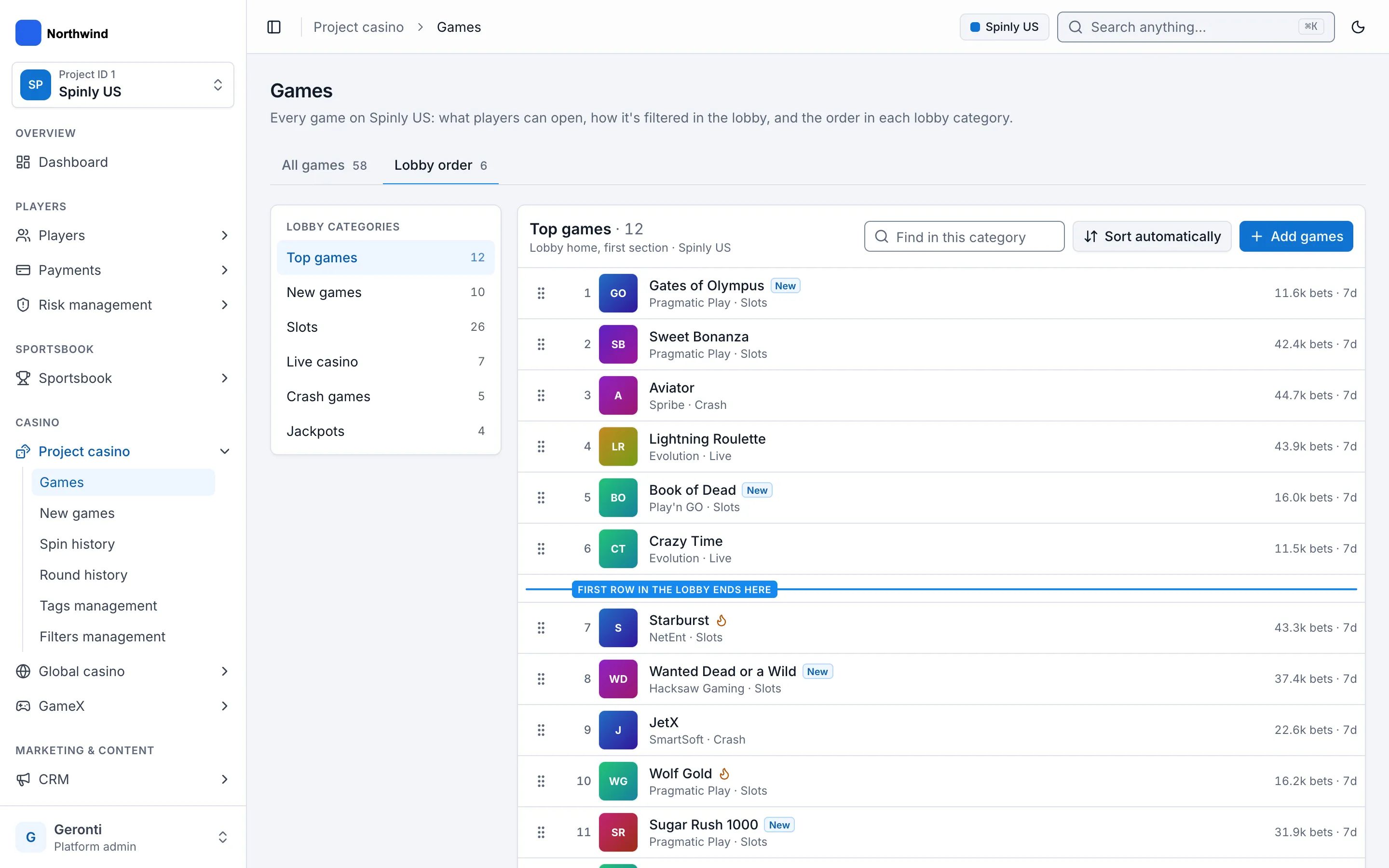
Game lobbies, tournament priorities and market groups share one pattern: drag or use four move buttons (top, up, down, bottom), a fixed cut-off line that marks where the first lobby row ends, and Save / Discard pinned to the bottom while there are changes.
Review where you are
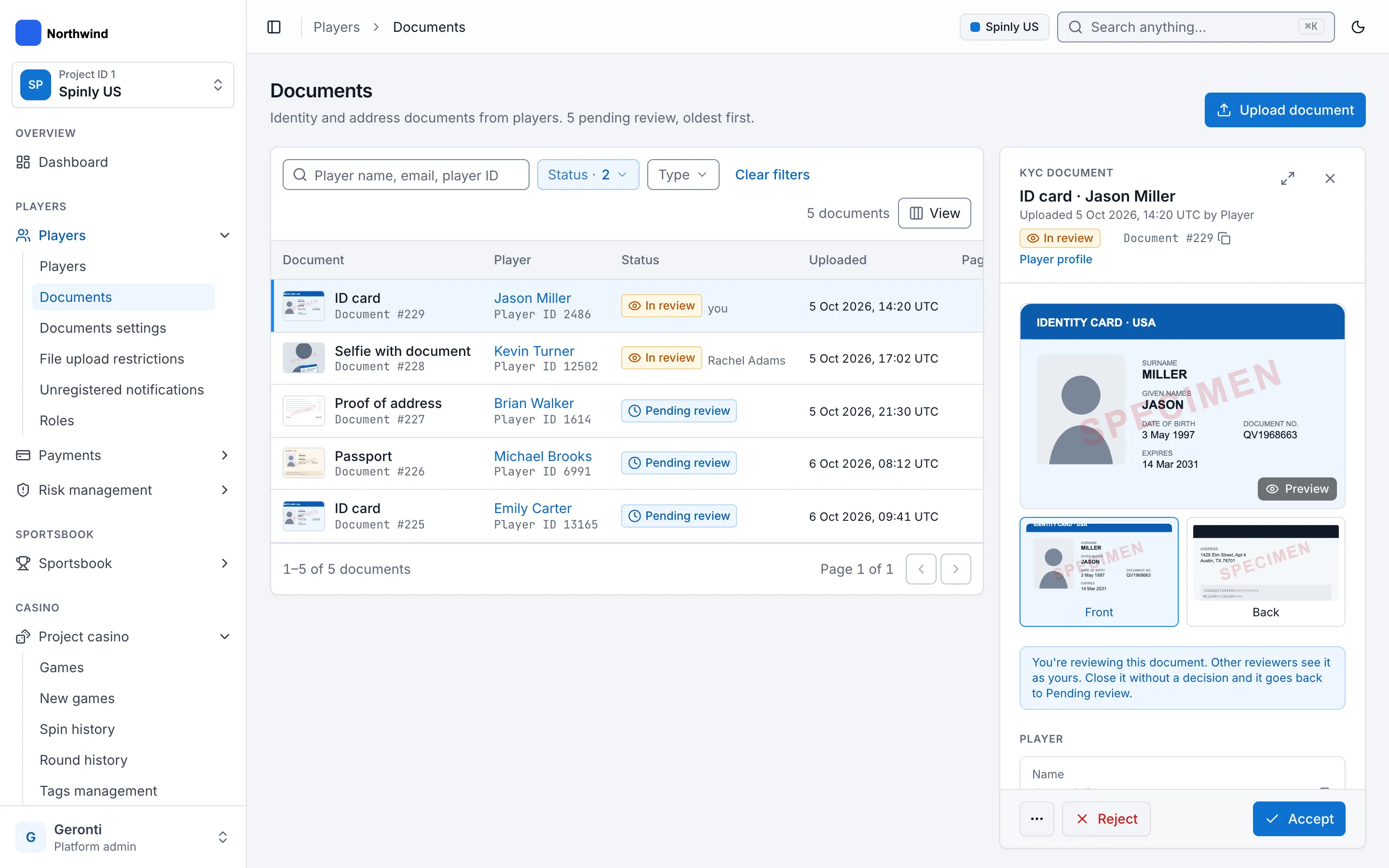
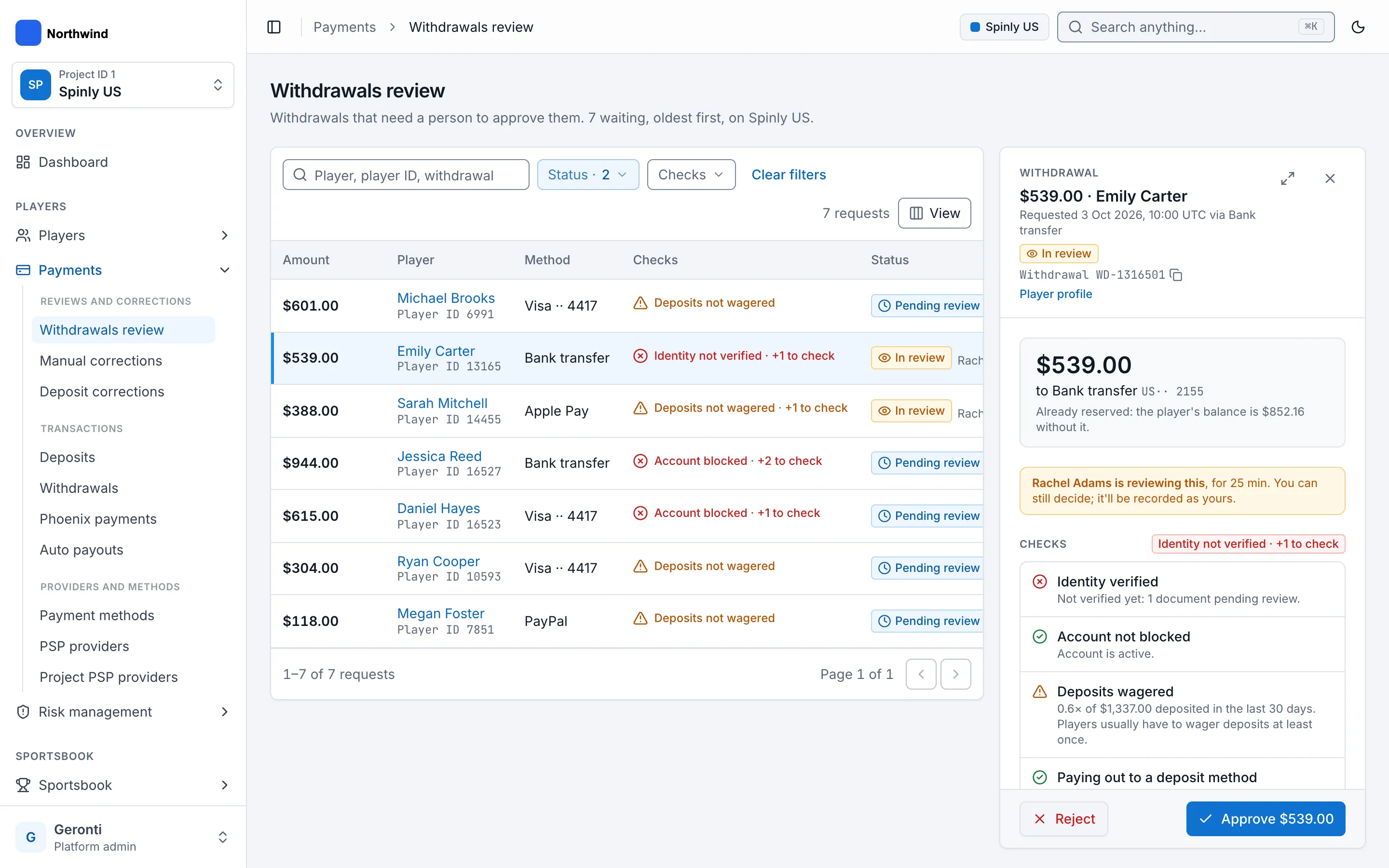
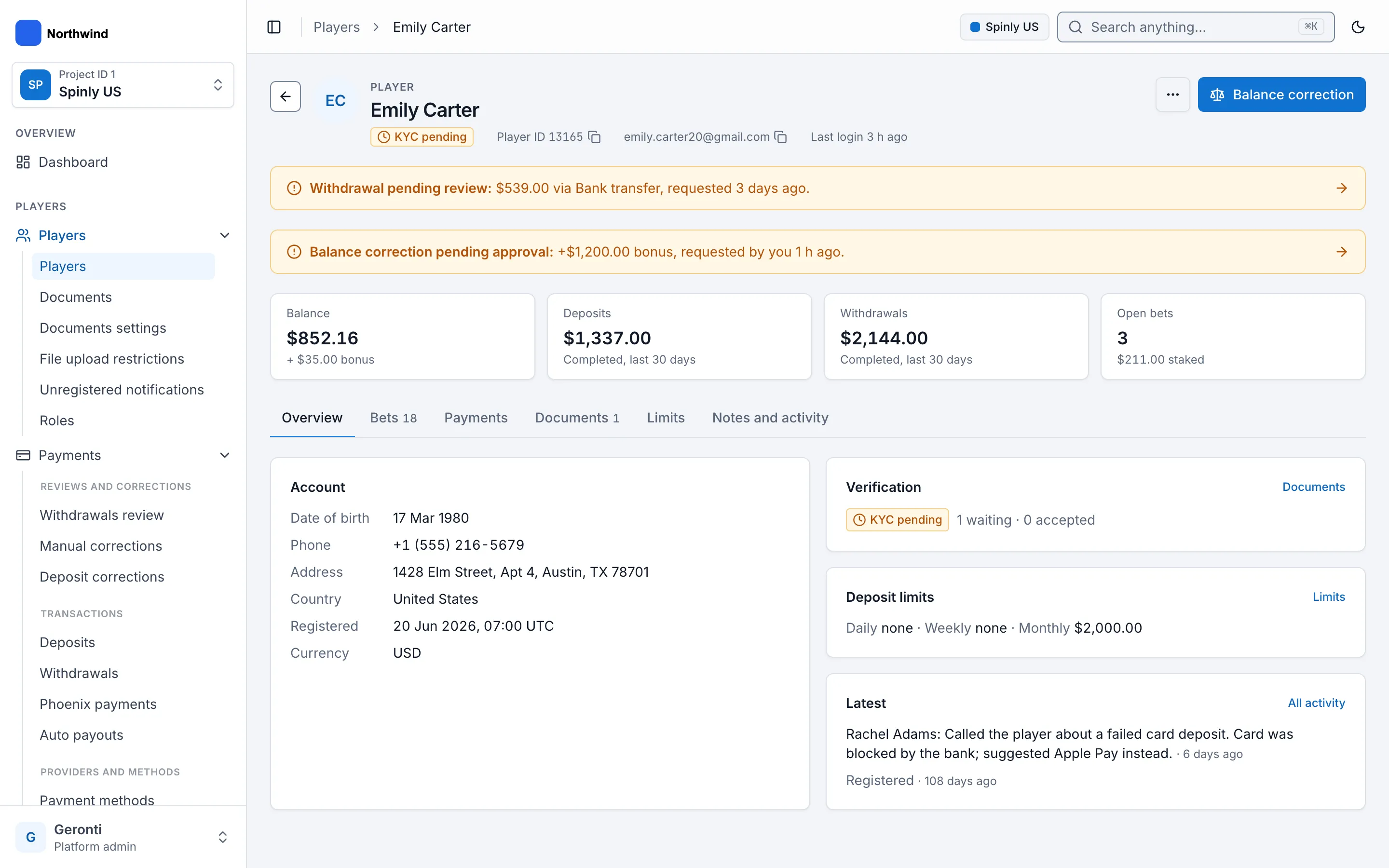
KYC documents and withdrawals use one review pattern. Opening a pending item claims it, so other reviewers see who is on it and for how long. Reviewers zoom, rotate and mirror the document, leave comments in one timeline with the item’s activity, and email the player from templates. From a client profile, the same review panel opens in a side sheet instead of a new page.
Safety nets for money
Balance corrections ask for a reason, and the reasons depend on the direction: adding money offers “Deposit not credited”, subtracting offers “Chargeback”. Withdrawals run six automatic checks, and approving one despite a failed check needs a written reason.
Promotions with built-in rules
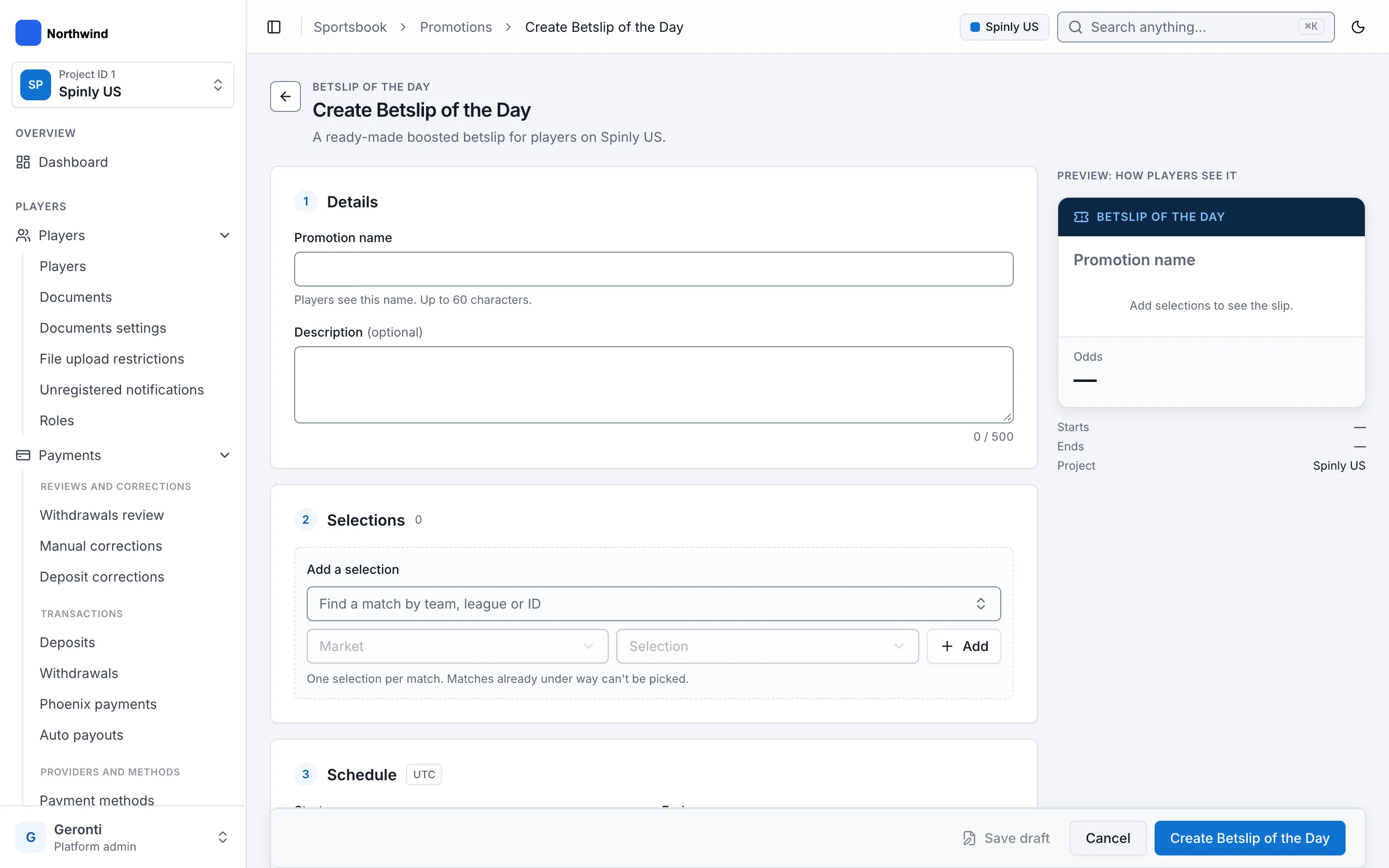
Betslip of the Day is a type of promotion with its rules built in: one selection per match, end before the first kickoff, boosted odds must beat the true odds, and a warning for boosts over +300%. Leaving an unsaved promotion offers Keep editing, Save draft or Discard, and drafts show up on Home.
Outcome
The redesign is in progress. The demo and a test guide are ready for the managers, and engineers have the design system as a package with a component gallery and a README. The sportsbook pages (manual odds, bets, sport profiles) come next.
Learnings
- A working demo gets better feedback than screens. Managers react to how a list behaves with realistic data, not to how it looks in a frame.
- Naming is design work. “Pending review” versus “New” changed how reviewers read the whole queue.
- Patterns pay off fast: once ordering lists and the review panel worked in one place, every next page reused them.